

Key takeaways
- Phantom is still the best all-round Solana wallet, with 20+ million users, multiple chains, and staking built in.
- MetaMask has supported Solana natively since May 2025, so it is no longer true that it cannot hold SOL.
- For long-term storage, Ledger starts at $59 for the Nano S Plus, and Trezor is the only device here that stakes SOL natively.
- Atomic Wallet lost about $100 million to a June 2023 exploit, so treat it as a convenience wallet for small balances only.
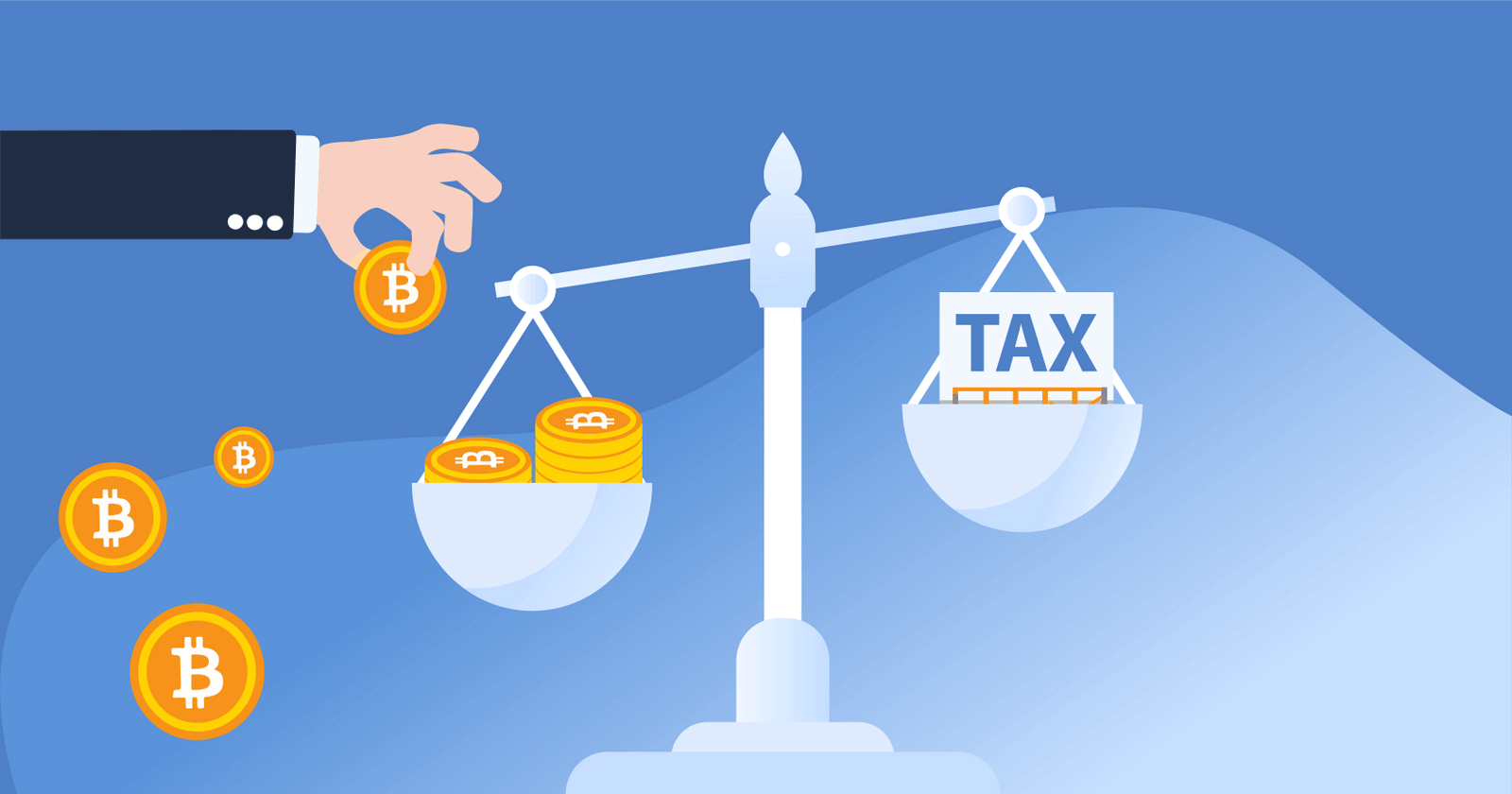
- Moving SOL between your own wallets is not taxable, but it breaks the cost basis your exchange reports on Form 1099-DA.
You can also use CoinLedger's Solana wallet balance checker to see the value of assets held in your wallet.
Software wallets
| Wallet | Best for | Platforms | Chains |
|---|---|---|---|
| Phantom | Best overall | Browser extension, iOS, Android | Solana, Ethereum, Base, Polygon, Bitcoin |
| Solflare | Best Solana-only wallet | Browser extension, iOS, Android | Solana |
| Exodus | Best for customer support | Desktop, mobile, browser extension | Multichain, 1,000,000+ assets |
| Coinbase Wallet | Best for beginners | Browser extension, iOS, Android | 10+ networks, including Solana |
| Glow | Best for iPhone and Android | iOS, Android, browser extension | Solana |
| Backpack | Best for Solana DeFi | Browser extension and mobile app | Solana, Ethereum, Bitcoin |
| Atomic Wallet | Convenience hot wallet only | Windows, macOS, Linux, Android, iOS | Multichain, 1,000+ assets |
Hardware wallets
| Wallet | Best for | Price | Solana staking |
|---|---|---|---|
| Ledger Nano S Plus | Best hardware wallet for price | $59 | Through Phantom or Solflare |
| Ledger Stax | Best hardware wallet for usability | $399 | Through Phantom or Solflare |
| Trezor Safe 5 | Best for native Solana staking | $129 | Native, in Trezor Suite |
| Keystone 3 Pro | Best air-gapped hardware wallet | $149 | Through a connected software wallet |
Quick look: the 11 best Solana wallets in 2026

Before you move your SOL: what a wallet transfer does to your taxes
Moving SOL between wallets you own is not a taxable event. What it does do is break the paper trail, and that has become a real problem starting with the 2025 tax year.
US brokers now issue Form 1099-DA for crypto sales. For the 2025 tax year the form reports your gross proceeds but not your cost basis. Exchanges only have to report cost basis from the 2026 tax year onward, and even then they can only report the basis of assets you acquired on their own platform. So if you bought SOL on an exchange, withdrew it to Phantom or a Ledger, and later sent it back to sell, the exchange has no idea what you paid for it. Left alone, a modest gain can look like a far larger one on the form the IRS receives.
Self-custody is exactly where this breaks, because the transfer that protects your keys is the same transfer that erases your basis from the exchange's records. If you move crypto between wallets, keep your own record of what you paid and when, or connect your wallets to crypto tax software that can rebuild cost basis across all of them. Staking is the other half of it: SOL staking rewards are ordinary income at their fair market value on the day you gain control of them, whether you staked through Phantom, Solflare, or a hardware wallet.
Phantom Wallet
Best overall
Phantom is the most popular Solana wallet on the market, with a community of more than 20 million users. It started life as a Solana-only browser extension and now spans several chains, while keeping Solana at the center of the product.
Features
- Simple interface: Phantom has an easy-to-use mobile app and browser extension. Phantom has been called the MetaMask of the Solana ecosystem!
- Solana staking: Phantom lets you stake your SOL with independent validators to earn rewards. Self-custody Solana staking currently yields roughly 6% to 7% APY, and custodial platforms return materially less after their commission.
- Multi-chain support: Phantom supports Solana, Ethereum, Base, Polygon, and Bitcoin. You can import your existing wallets and see your assets from every supported chain in one place. Phantom does prune chains it no longer sees demand for, so check the current list before you rely on it for anything outside Solana.
- Hardware wallet integration: Phantom can integrate with hardware wallets like Ledger for added security.

Solflare
Best Solana-only wallet
Next to Phantom, Solflare is one of the most popular Solana wallets on the market! Solflare offers a user-friendly software wallet that allows you to buy, sell, transfer, and receive assets on the Solana blockchain.
Features
- Browser and mobile: Solflare is user-friendly and is available as both a browser extension and a mobile app!
- Live chat: Solflare advertises around-the-clock human support, with live chat available 24/7.
- Staking support: Solflare allows you to earn rewards from Solana staking!
- Hardware integration: Solflare integrates with hardware wallets like Ledger. It also makes its own device: Solflare Shield, an NFC tap-to-sign hardware wallet announced in December 2025 and now shipping, from $49.

Exodus
Best for customer support
Exodus is a multi-chain wallet that supports more than 1,000,000 assets, including Solana. It is known for its user-friendly design and its responsive customer support.
- Multi-chain support: Exodus covers Bitcoin, Ethereum, Solana and a long tail of other assets, across desktop, mobile, and a browser extension.
- Customer support: Exodus offers responsive customer service through chat and email support.
- Staking: Exodus lets you get started with Solana staking in a few taps.
- Hardware wallet: Exodus integrates with both Ledger and Trezor hardware wallets.
.jpeg)
Coinbase Wallet
Best for beginners
Coinbase Wallet is a self-custody wallet built by Coinbase, giving you access to holdings on Solana, Ethereum, Base, Bitcoin, Polygon and more. If the name looks like it has moved around, it has: Coinbase renamed the app to Base App in July 2025 and renamed it back to Coinbase Wallet on September 10, 2026, after confusion over which chains the product covered. The browser extension kept the Coinbase Wallet name throughout. For how the wallet differs from the exchange, see our comparison of Coinbase and Coinbase Wallet.
- Easy interface: Just like the Coinbase exchange, the Coinbase Wallet was designed to be easy to use for new investors! The wallet offers a browser extension and a mobile application that makes it easy to keep track of your crypto holdings.
- Multi-chain support: Coinbase Wallet covers 10+ networks, including Solana, Ethereum, Base, Arbitrum, Optimism, Polygon, Avalanche, BNB Chain, and Bitcoin.
- Coinbase integration: Coinbase Wallet integrates with the Coinbase exchange, making it easy for you to buy and sell crypto and transfer holdings between the two accounts.
- Hardware wallet support: Coinbase Wallet integrates with hardware wallets like Ledger.
- One catch for beginners: Passkey smart wallet accounts cannot hold SOL or Bitcoin. Only a standard account can, so pick that account type if Solana is the reason you are downloading the app. If you are weighing it against MetaMask, see Coinbase Wallet vs. MetaMask.
Learn more about Coinbase here.

Glow
Best for iPhone and Android
Glow is a Solana-only wallet with apps for iOS and Android and browser extensions for Chrome, Edge, Firefox, and Brave. It is a good choice for phone-first users and NFT holders.
- Mobile first: Glow ships apps for both iOS and Android alongside its browser extensions. The Chrome listing is still labelled beta four years on, so treat Glow as a wallet for everyday balances rather than long-term storage.
- Staking support: Glow allows users to earn Solana rewards through staking!
- NFT support: Glow is known for its NFT support. The wallet features an NFT gallery display and connects to Solana marketplaces such as Magic Eden.
Backpack Wallet
Best for Solana DeFi
Backpack started out as an NFT-focused Solana wallet and now presents itself as an all-in-one crypto app, putting futures, spot trading, lending and a wallet in one product. It is the pick for active Solana users who want DeFi and trading in the same place as their balances. Backpack is available as a browser extension and a mobile app.
- Multi-chain: Backpack supports Solana, Ethereum, and Bitcoin.
- NFT support: Backpack keeps the NFT gallery and collection tools it was originally built around.
- Built-in exchange: Backpack Exchange is a licensed trading venue, so you can trade without moving funds to a separate platform.

Atomic Wallet
Convenience hot wallet only
Atomic Wallet is a multi-chain wallet that says it serves more than 15 million users and supports 1,000+ coins and tokens, including Solana. It sits at the bottom of this list for a reason. In June 2023, Atomic Wallet lost roughly $100 million of user funds in an exploit that researchers attributed to North Korea-linked hackers. A resulting class action in Colorado was dismissed in September 2024 for lack of personal jurisdiction over the Estonia-based company, not on the merits, so the underlying allegations were never tested in court. Atomic is also only partially open source and does not support hardware wallets. Treat it as a convenience wallet for small balances, not as storage for long-term holdings.
- User friendly: Because of its user-friendly interface, Atomic Wallet is a great choice for beginner investors.
- Solana staking: You can stake SOL and other proof-of-stake coins directly in Atomic Wallet.
- Available on all devices: Atomic Wallet runs on Windows, macOS, Linux, Android, and iOS.
- Security caveat: Atomic Wallet is non-custodial, so you hold your own keys, but its code is only partially open source, which means its security cannot be independently audited in full.

Ledger Nano S Plus
Best hardware wallet for price
The Ledger Nano S Plus is one of the most popular hardware wallets on the market. Unlike the software wallets listed above, it keeps your private keys offline. Ledger discontinued the original Nano S in June 2022, and the Nano S Plus is the entry-level device that replaced it.
- High security: Ledger is a hardware wallet that stores your private keys offline. That means that hackers can’t use techniques like online phishing to gain access to your crypto!
- Low price tag: The Nano S Plus is listed at $59, the cheapest device Ledger sells. The rest of the range runs from the Nano X at $99 to the Nano Gen5 at $179, the Flex at $249, and the Stax at $399.
- Integrations: Ledger connects to software wallets listed above, including Phantom, Solflare, and Coinbase Wallet, which is how you stake SOL from a Ledger. The Nano S Plus connects over USB-C to Android phones and desktops and supports 15,000+ assets, but it does not work with iPhones.
.jpg)
Ledger Stax
Best hardware wallet for usability
Ledger Stax is a premium hardware wallet with a focus on user experience. The wallet was designed by Tony Fadell, the designer behind the iPod. It offers a fantastic user experience and support for 15,000+ coins and tokens (including SOL).
- User experience: Unlike other hardware wallets, Ledger Stax features an E Ink touchscreen, making it easier than ever to sign and approve transactions.
- Solana compatibility: Ledger Stax integrates with Phantom, Solflare, and other Solana wallets, so you can manage your SOL and SPL tokens through an interface you already know.
- Premium pricing: Ledger Stax is the premium end of the range and currently sells for $399.
Trezor Safe 5
Best for native Solana staking
Trezor added Solana and SPL token support to Trezor Suite in late 2023, Token-2022 support in January 2025, and native Solana staking in March 2025. It is the one device on this list where you can stake SOL from the hardware wallet itself rather than through a separate software wallet.
- Native Solana staking: Staking runs inside Trezor Suite and is delegated to the Everstake validator, from 1 SOL, with auto-compounding and up to around 7% APY according to Trezor. Your keys never leave the device.
- Open source: Trezor publishes both its firmware and its desktop software, so the code can be audited by anyone.
- Model support: Solana works on the Trezor Safe 7, Safe 5, Safe 3, and Model T. The original Model One does not support Solana. Prices vary by model, so check trezor.io for current pricing.
- Software wallet integration: Trezor devices also pair with software wallets such as Exodus if you would rather keep a familiar interface.
.jpg)
Keystone 3 Pro
Best air-gapped hardware wallet
The Keystone 3 Pro is a hardware wallet built for people who want their keys to stay completely off the internet. Unlike other hardware wallets, it is fully air-gapped and never connects to a computer or a phone at all.
- Air-gapped security: The Keystone 3 Pro signs transactions using QR codes, so your private keys never touch an internet-connected device.
- Works with your software wallet: Keystone pairs with software wallets over those same QR codes, so you can keep using a Solana wallet interface while the keys stay on the device.
- Biometric authentication: The wallet includes a fingerprint scanner, allowing you to sign off your transactions easily!
- Price: The Keystone 3 Pro sells for $149.
- Open-source firmware: The wallet's firmware is fully open-source, allowing for transparency and community audits to ensure security.
How did you compile the list?
Our team reviewed the major Solana wallets on the market, checked each product against the provider’s own documentation and pricing pages, and read through user reviews. We scored each one on user experience, security, multi-chain support, staking support, and mobile usability. Every price and product detail in this guide was re-checked in September 2026.
What should I look for in a Solana wallet?
Here are a few factors you should keep in mind when selecting a Solana wallet.
Security: Make sure you select a wallet that takes measures to protect your holdings from hacks and theft.
Protocol support: If you wish to experiment with DeFi and NFTs, you should find a wallet that can connect to popular protocols and marketplaces.
Multi-blockchain support: If you want to hold all of your cryptocurrency in a single wallet, you may want to consider getting started with a wallet that supports multiple blockchains.
Solana wallet security tips
Once you get started with a Solana wallet, it’s important to take steps to ensure that your cryptocurrency is secure from potential hacks and theft.
Remember, cryptocurrency transactions are permanent and irreversible. If a hacker gains access to a non-custodial wallet, it can be difficult to recover your funds.
Here are a few security tips to keep your SOL and other cryptocurrencies safe.
Choose a reputable wallet: Before you choose a wallet, do research to make sure that your wallet provider has a reputation for trust and security.
Keep your recovery code safe: When you create a wallet, you’ll be given a recovery code that you can use to regain access to your funds if you ever lose access to your account. You should write down your recovery code on a piece of paper and store it in a safe place.
Cold storage: Consider using a cold wallet like Ledger, Trezor, or Keystone. Cold wallets keep your private keys offline, so a phishing site or an infected computer cannot reach your funds. Buy any hardware wallet directly from the manufacturer, because counterfeit devices have turned up in third-party retail channels.
Hardware wallet vs. software wallet: which should I use?
Not sure whether you should choose a hardware or software wallet for Solana?
Why should I choose a hardware wallet?: Hardware wallets are often considered the gold standard for secure long-term storage. However, they can be more costly than software wallets and may not be as convenient for quick access to your funds.
Why should I choose a software wallet?: Software wallets are convenient for day-to-day transactions and are generally free to use. However, they are more vulnerable to online threats such as phishing attacks, malware, and viruses.
One alternative is to pair your hardware wallet with a software wallet like Phantom or Solflare. Your private keys stay on the hardware wallet, and the software wallet acts as the interface. Trezor is the exception on this list, since it can stake SOL from Trezor Suite without a software wallet in the middle.
Can I use MetaMask for Solana?
Yes. MetaMask added native Solana support to its browser extension in May 2025, with mobile following shortly afterwards. Each account derives a Solana address from the same secret recovery phrase you already use for Ethereum, so you can send, receive, and swap SOL and SPL tokens without a workaround, a snap, or a second seed phrase.
That said, MetaMask is not yet a replacement for a Solana-first wallet. Phantom, Solflare, and Backpack all go deeper on Solana staking, NFTs, and dApp support. If MetaMask is already your main wallet, adding Solana to it is perfectly reasonable. If Solana is your main chain, one of the wallets above will serve you better.
What about Solana Mobile and the Seeker phone?
Solana Mobile’s Seeker has been shipping to 50 countries since August 2025, after 150,000+ pre-orders. Every device ships with Seed Vault Wallet, a native wallet that Solana Mobile built together with Solflare.
What makes Seed Vault Wallet different is where the keys live. Private keys, seed phrases, and other secrets sit in a hardware-isolated layer, separate from the apps running on the phone, so an app can ask for a signature but never sees the key itself. Transactions are approved with a double tap and a fingerprint.
If you already own a Seeker, Seed Vault Wallet is the most secure place on the device to hold SOL. If you do not, it is not a reason to buy a phone on its own. A hardware wallet paired with Phantom or Solflare gets you comparable key isolation for a lot less money.
Is there an official Solana wallet?
Unlike other blockchain networks, Solana does not have an official wallet for users. However, there are several wallets with a stellar reputation in the Solana community, such as the options recommended above!
How do I track the value of my portfolio across different wallets?
If you’re using a Solana wallet like Phantom in addition to other wallets and exchanges, you may have trouble determining the total value of your cryptocurrency. After all, it’s likely that your holdings are scattered across multiple wallets.
A cryptocurrency portfolio tracker like CoinLedger can help. The platform integrates directly with Solana, Phantom, and hundreds of other blockchains, wallets, and exchanges, and it reconciles your cost basis across all of them. More than 700,000 investors use CoinLedger to track their portfolios and file their crypto taxes, and you can get a real-time snapshot of your holdings for free.
Frequently asked questions
- What is the best wallet for Solana?


- Which is better, Phantom or Solflare?
- Does MetaMask support Solana?
- Is Phantom Wallet safe?
- Can I store Solana on a Ledger?
- Does Trezor support Solana?
- Is Coinbase Wallet the same as Base App?
- Is Atomic Wallet safe to use?
- What is Seed Vault Wallet?
- Do I owe taxes when I move SOL between my own wallets?
- Are Solana staking rewards taxable?




.png)
%20(1).png)